Realistic Sensors
Three tools around one capture contract — an Unreal Engine 5 plugin that records synchronized, nanosecond-timestamped multi-modal sensor data (RGB, depth, segmentation, DVS, optical flow, IMU, LiDAR, thermal, cubemap); Forge, the Python analysis and fusion toolkit that reads those captures; and rsviewer, a browser viewer that puts every stream on one timeline.
Active·since ·updated — views
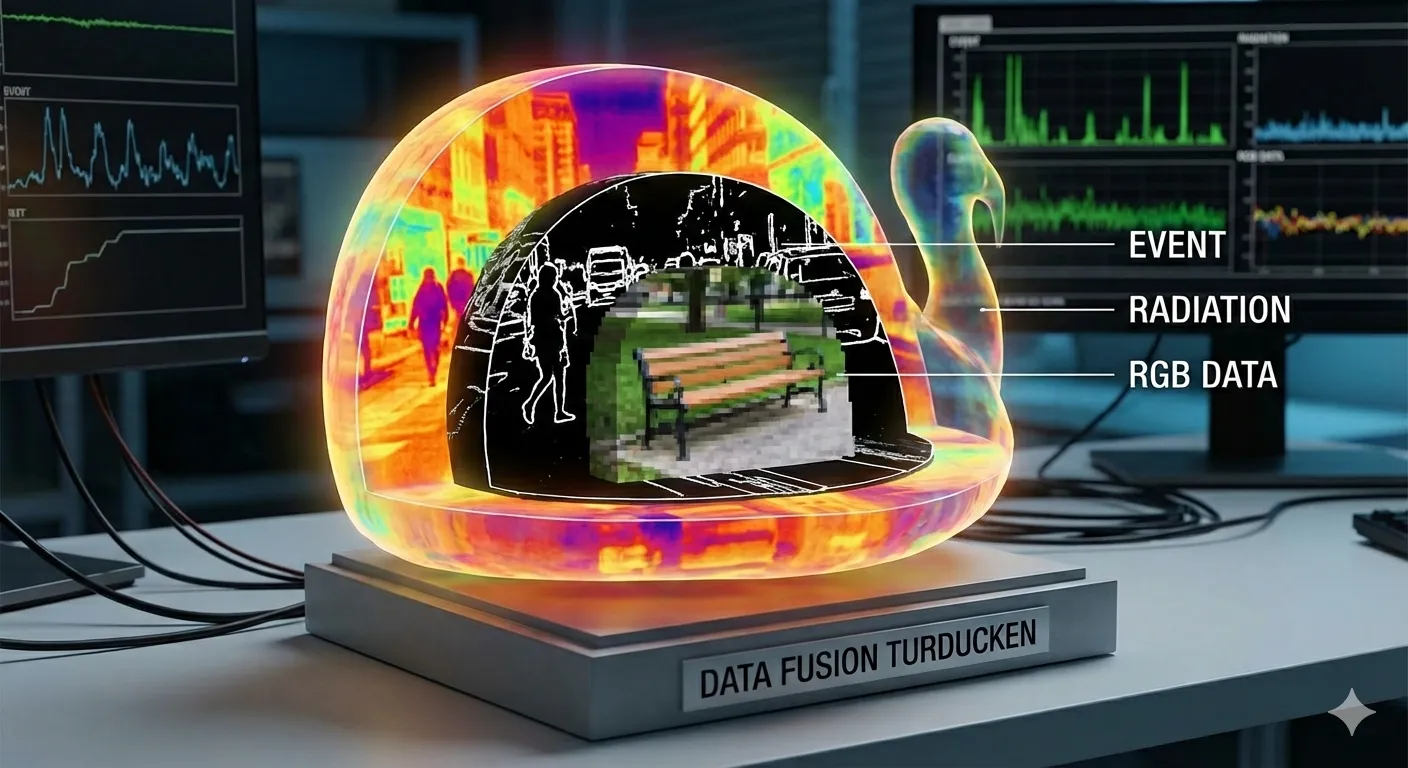
Three tools, one capture contract. RealisticSensors began as a single Unreal Engine plugin. It is now three repositories that share one thing: the on-disk shape of a capture. The plugin writes it, Forge reads it, and the viewer opens it — and each can move without the others.
| Tool | Does | CLI | License | Since |
|---|---|---|---|---|
| RealisticSensors | Records — UE 5.6+ plugin | — | Apache-2.0 OR MIT | 2025-12-18 |
| RealisticSensorsForge | Analyzes, fuses, exports — Python 3.11+ | rsforge |
MIT | 2026-02-20 |
| RealisticSensorsViewer | Views — local web app | rsview |
MIT | 2026-08-17 |
The plugin
What it is. An Unreal Engine plugin that turns a virtual scene into a multi-sensor capture rig. Cameras, depth, semantic segmentation, event cameras, optical flow, IMUs, LiDAR, and thermal — all recording the same world on a shared clock with nanosecond timestamps. The point is fused data, not just parallel data.
Why. Training perception models or evaluating sensor placements needs more than “a camera feed and a depth map” — you need every modality timestamped against the same frame, with the actor poses and velocities tracked alongside, in a deterministic pipeline you can rerun to byte-identical output.
Each sensor has a documented technique behind it:
| Sensor | Technique |
|---|---|
UCameraSensorBase |
base RGB capture; foundation for the others |
USceneCaptureCubeSensor |
6-face panoramic capture |
UDepthSensor |
linear depth in Unreal units |
USemanticSegmentationSensor |
per-pixel class IDs from UE’s Custom Stencil buffer (0-255 classes), plus optional instance segmentation via material override capture pass (up to 65,535 unique instances) |
UDVSSensor |
event camera — per-pixel asynchronous brightness-change events; each pixel fires when its log-luminance changes by a threshold |
UOpticalFlowSensor |
per-pixel screen-space motion vectors lifted directly from UE5’s velocity buffer; exported in standard ML formats |
UIMUSensor |
6-DOF accelerometer + gyroscope; computes linear acceleration and angular velocity by finite-differencing the component transform, output in the sensor body frame |
ULiDARSensor |
CPU raycasting; supports mechanical rotating scanners, solid-state flash arrays, and non-repetitive (Livox-style) patterns; returns surface normals, Lambertian intensity, semantic/instance labels, and sweep-aligned metadata |
UThermalSensor |
synthetic LWIR (8–14 μm); maps stencil class IDs to physically-motivated apparent temperatures via Stefan-Boltzmann radiance with per-class emissivity, solar loading, and environment reflection — reuses the segmentation stencil pipeline so zero extra scene prep |
What makes the rig usable rather than just a pile of sensors:
- Synchronized capture. All sensors share one clock, so a depth pixel, an RGB pixel, and a LiDAR return at frame 1234 refer to the same instant.
- Four control modes.
Manual(user code drives capture),Group(per-actor sensor groups viaUSensorController),World(a global recording session viaUSensorWorldSubsystem), andWorldPriority(both, world preferred). - Actor tracking by tag. Tag any actor
RS_Trackand its transform, bounds, and velocity export alongside the sensor data;RS_Name:<id>gives it a stable identifier. - Async export. Non-blocking file I/O with backpressure control, so the simulation doesn’t stall on disk.
- Level Sequence workflow. A
render_apisubsystem drives deterministic dataset generation from a JSON config through Unreal’s Level Sequencer — level, sequence length, FPS, actors, and per-actor keyframes declared up front; anything named in the config getsRS_Trackadded automatically.
A capture lands as Saved/RealisticSensors/<Session>/<Actor>/<Sensor>/ with
one subfolder per output method (rgb/000000.png, depth/000000.exr, …), a
metadata/ folder of per-frame JSON (frame number, nanosecond timestamp,
sensor pose, camera intrinsics, output paths), and a TrackedActors/ folder
beside the actors. That layout is the contract everything else builds on.
Forge
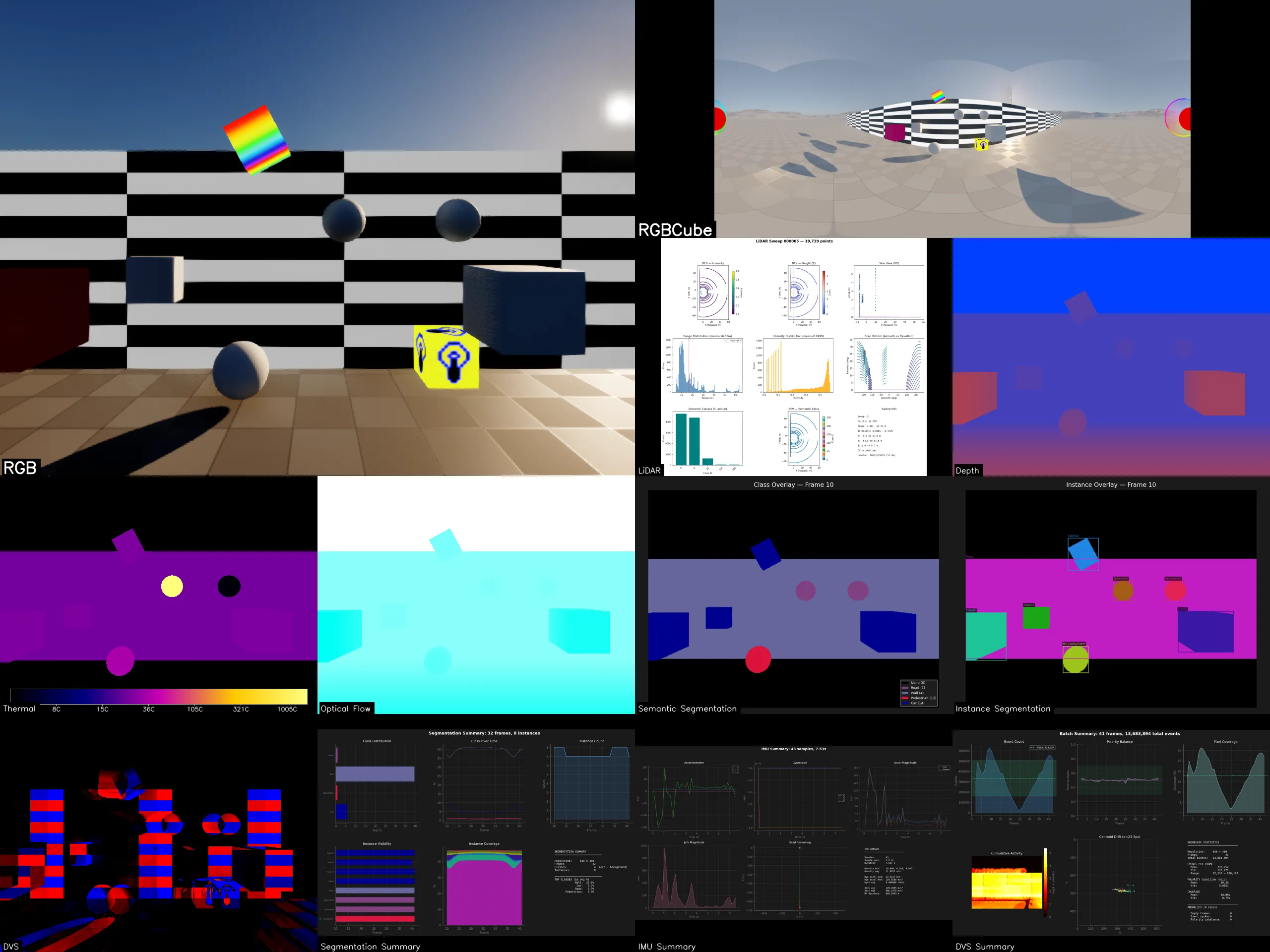
What it is. The Python side, split out of the plugin repo on 2026-07-02.
One analysis package per sensor type, all behind a single rsforge CLI, plus
the cross-sensor tools that need more than one lane at once.
| Lane | Command | What it produces |
|---|---|---|
dvs |
rsforge dvs |
event-camera visualizers: polarity, density, time surface |
flow |
rsforge flow |
optical-flow colorization and magnitude analysis |
imu |
rsforge imu |
accelerometer / gyroscope time series and trajectory |
segmentation |
rsforge segmentation |
semantic / instance class maps and consistency |
lidar |
rsforge lidar |
point-cloud processing, BEV rendering, export |
thermal |
rsforge thermal |
Ironbow colorization and temperature distributions |
depth |
rsforge depth |
depth colorization, edge detection, coverage |
scenecapture |
rsforge scenecapture |
RGB quality metrics: brightness, sharpness, temporal difference |
scenecapturecube |
rsforge scenecapturecube |
cubemap panoramas, seam analysis, equirectangular projection |
- Run-all.
rsforge run-all <path>discovers sensors by structure — it walks for folders containingsensor_config.jsonand classifies each by itssensor_type, never by folder name — so you can point it at a session root, a group, one actor, or one sensor. Multi-actor captures get per-actor output namespaces; folders that don’t look like a known sensor are reported and skipped, never silently processed. - Grid video. A compositor that lays analysis output from several sensors
into one video, with
--syncaligning cells by logical frame number using the_frame_manifest.jsonmost lanes write. Holes are counted, never blackened: a missing or unreadable frame renders a grey placeholder naming the frame, and the run summarizes absence per cell. - Fusion. Proof-of-concept projection of one sensor’s data into another’s
frame using only published outputs plus capture-time poses and intrinsics —
nothing gets re-run.
fuse-lidar-rgb(timestamp-joined LiDAR points onto an RGB frame),fuse-cam-cam(one actor’s depth back-projected into another actor’s camera), andfuse-annotate(2D / 3D bounding boxes drawn onto another camera). Each writes an overlay PNG and a JSON record. - Splat / 3DGS export. Seeds Gaussian splats from ground-truth depth and
bakes per-sensor channels into PLY files that any 3DGS viewer can open;
splat-verifychecks an export. - Sensor tools.
rsforge timestampsverifies cross-sensor synchronization;rsforge convert-hdf5packs a folder capture into HDF5 and/or ZIP.
Requires Python 3.11+ and uv; the heavier lanes take optional extras
(open3d, laspy, HDF5).
Viewer
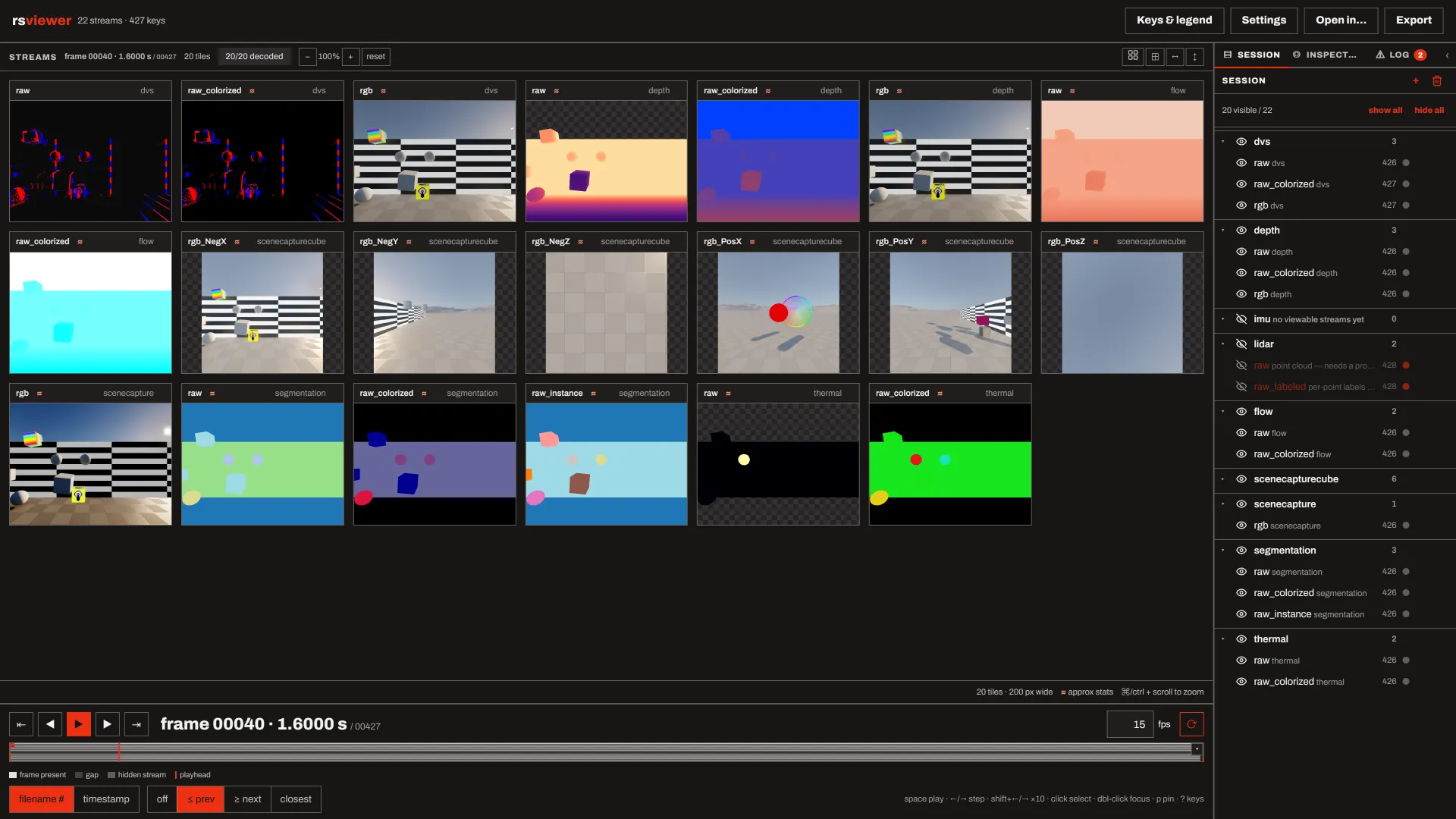
What it is. A stream-first results viewer. Point rsview at folders of
per-frame sensor output and inspect them in a browser: every stream is a tile
on one shared timeline, with per-kind colour and normalisation controls, a
pixel probe, overlays, and export. Thermal, depth, segmentation, optical
flow, DVS, LiDAR, IMU, scene capture. The frontend is plain HTML/CSS/JS served
by the same Python process — no build step, no toolchain, no network access.
A stream is one folder of per-frame files whose frame number is the trailing integer in the filename stem. Point the viewer at one stream, at a folder of streams, or at a capture root and the sensors autoload. A named path with nothing viewable fails before the server starts; zero paths is a deliberate empty session you fill from the UI.
Providers are optional. rsviewer names no producer. A repo that writes data
the viewer should read declares itself by shipping rsviewer_provider.py
(the contract is docs/contracts/provider-declaration.md), and sensor
discovery, event decoding, and continuous-stream sources all arrive that way.
It looks in exactly three places — installed entry points, every
--provider-path you give, and the directories beside its own checkout — and
never at a path derived from data you opened. Without any provider every folder
loads unclassified and you pick a profile per stream with “treat as”.
172 tests, all on synthetic fixtures; the suite never reads a real capture. Built inside Forge and extracted on 2026-08-17.
How they fit together
The plugin writes a capture. Forge reads it through its capture-input
contract (docs/contracts/capture-input.md), a fixed description of the
plugin’s on-disk output verified against real captures on 2026-06-12. It
records the things a consumer gets wrong if it guesses: tree depth varies
(sensors recorded as part of a session sit under a group folder, independently
controlled ones do not), so sensor folders are discovered by structure and
never by fixed depth; frame numbers are six-digit zero-padded; the first frame
number is sensor-dependent (sync-pipeline sensors start at 000000, async
camera sensors at 000001, DVS event files at 000002), so nothing may assume
a common start index or count.
The viewer, in turn, knows nothing about either repo by name. Forge has
declared itself to it since 2026-08-24 by shipping src/rsviewer_provider.py;
with Forge checked out next door, a capture root opens already classified — a
thermal stream arrives with thermal semantics, and Forge’s own lane outputs
under analysis_output/ can be declared as viewable streams too.
The history, in dates: the plugin’s first commit is 2025-12-18, and the DVS
analysis package landed inside it on 2026-01-23. The Forge repo’s history
starts 2026-02-20 (its README still opens with cd ExternalAssets/rsforge/,
a trace of where it lived), and the split into a standalone repo landed on
2026-07-02. The viewer was built inside Forge on a branch between 2026-08-13
and 2026-08-17, extracted the same day, and removed from Forge’s main on
2026-08-18. Forge’s provider declaration followed on 2026-08-24. The story of
those splits is in One plugin, three repos.
Writing about this
- One plugin, three repos · Devlog
How RealisticSensors split into a UE5 capture plugin, a Python analysis toolkit (Forge), and a browser viewer (rsviewer) — the dates, the reasons, and what the capture and provider contracts between them buy.