DatacenterExplorer
An Unreal Engine plugin that visualizes hierarchical data-center infrastructure from JSON configs — part of the ExaDigiT project for digital twins of exascale supercomputers. Ships example configs scaling from ~50 to 150,000+ actors, including Summit and Frontier.
Active·since — views
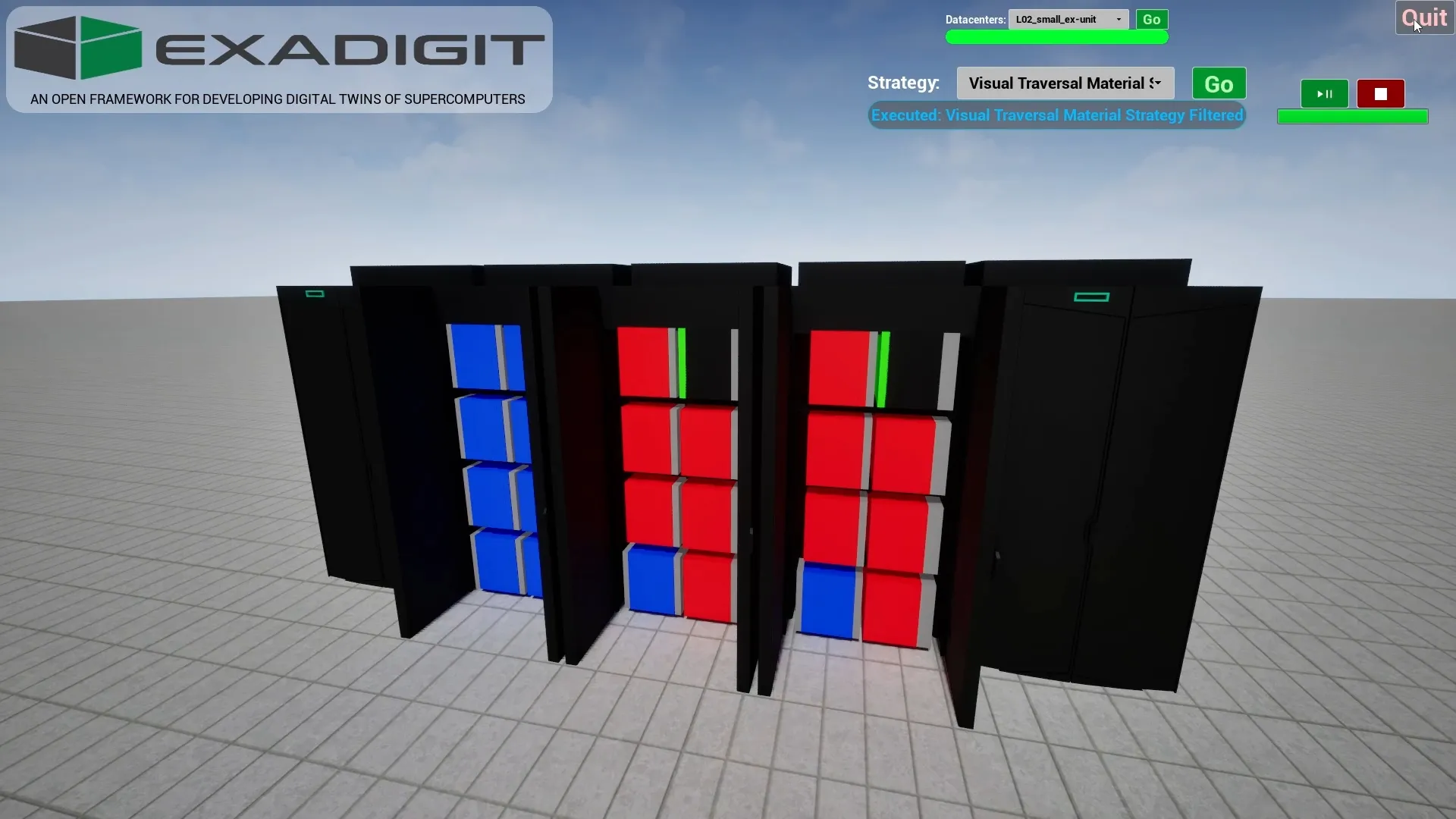
What it is. An Unreal Engine plugin that ingests a hierarchical JSON description of a data-center (cluster → rack → server → component) and brings the hierarchy to life as Unreal actors you can fly through, filter, recolor, and dynamically update. Part of the ExaDigiT framework — ORNL’s project for building digital twins of exascale supercomputers.
Why. A digital twin only earns its name if you can actually see the system, query it interactively, and watch live telemetry move across it. DatacenterExplorer is the visualization layer of that pipeline: hierarchy in, navigable scene out.
What it does
- Blueprint-first. Every primary capability is reachable from Blueprints, not just C++.
- JSON-driven hierarchies. Nested JSON files describe nodes, positions, references to sub-hierarchies, and visibility — parsed with template caching so repeated structures (a rack with N identical servers) don’t re-parse.
- Strategy-based spawning. A
HierarchyStrategistpicks how the hierarchy is walked (spawn / visual / destroy strategies), generates commands for theHierarchyManager, and the manager processes the queue with adaptive frame-rate management — so a 100k-component cluster doesn’t tank the editor. - Flexible visualization. Material strategies recolor nodes based on
property filters (
name == *gpu*→ red;temperature > 80→ orange). Rules are regex-capable and combine cleanly.
How the pipeline works
Parse → HierarchyReader loads JSON files into a HierarchyNode tree
Strategy → HierarchyStrategist picks spawn / visual / destroy
Commands → Strategy generates commands for HierarchyManager
Execute → Manager processes the queue with adaptive frame management
Visualize → Actors spawn with materials / properties from node data
The split between parsing (HierarchyReader), strategy
(HierarchyStrategist), execution (HierarchyManager), and
filtering (HierarchyNodeFilters) is the load-bearing abstraction
— a new visualization (heatmap by temperature; mesh-swap based on
failure state; show-only-this-rack) is a new strategy, not a plugin
rewrite.
Example configs in the box
The repo ships five complete example hierarchies, covering more than three orders of magnitude in scale:
| Example | Scale | Approx. actors |
|---|---|---|
L01_tiny_micro-ex |
demonstration | ~50 |
L02_small_ex-unit |
single unit | ~1,000 |
L03_medium_marconi |
mid-size cluster | ~20,000 |
L04_large_summit |
ORNL’s Summit | ~100,000 |
L05_huge_frontier |
ORNL’s Frontier (exascale flagship) | ~150,000+ |
Each example is a top-level cluster.json referencing component JSONs
(cabinets, blades, CPUs, GPUs, memory, PDUs, rectifiers, network groups,
environmental controllers). At Frontier scale custom strategies become
necessary — the plugin is fast, but spawning 150,000 actors honestly is
still 150,000 actors.
Live telemetry via DataPipeline
DatacenterExplorer pairs with the sister plugin DataPipeline to wire live telemetry (temperatures, power, utilization) into the scene at runtime. The hierarchy is the what’s where; DataPipeline is the what’s happening right now.
Use cases
- Data-center infrastructure visualization
- HPC system monitoring & digital twins
- Interactive architecture exploration
- Real-time component-status visualization