SceneManifest
Bidirectional scene export/import for Unreal Engine 5 — round-trip levels as JSON. A lightweight alternative to USD for placement data, level streaming prep, and external-tool integration.
Active·since — views
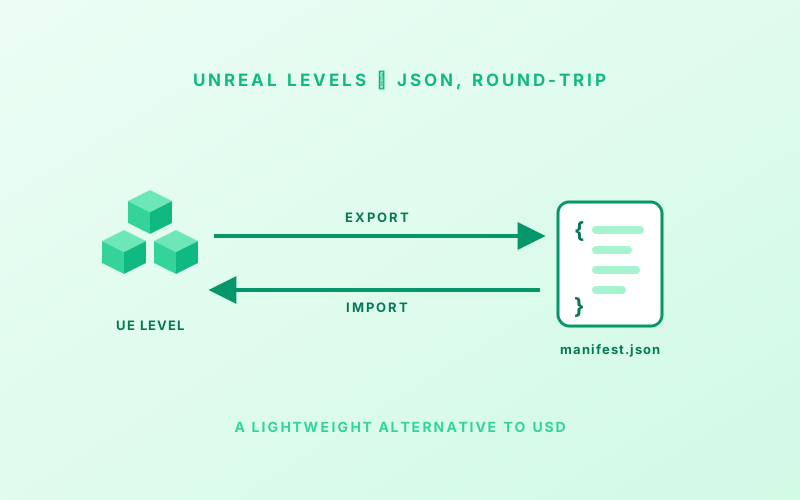
What it is. An Unreal Engine 5 plugin that round-trips a level through a single JSON file. Export the scene, edit / generate / massage the JSON elsewhere, import it back. A lightweight alternative to USD when you don’t need the full DCC round-tripping machinery — just the placement data, the coordinate system, and the metadata.
Why. USD is fantastic when you need it; overkill when you don’t. Most “I just want the static meshes in this level somewhere external” problems don’t need variants, hierarchy, or DCC round-trips. They need a file format that’s self-describing, easy to script against, and explicit about its coordinate system.
When to use
- Use SceneManifest for simple placement data, level streaming prep, external-tool integration, and reconstruction workflows.
- Use USD when you need full hierarchy, variants, references, and DCC round-tripping.
What’s in the manifest
{
  "Manifest": {
    "Version": "1.0",
    "CoordinateSystem": "LH_ZUp",
    "Units": "Meters",
    "AdditionalScale": 1,
    "Offset": { "X": 0, "Y": 0, "Z": 0 }
  },
  "Entries": [
    {
      "EntryType": "StaticMesh",
      "Name": "Wall_01",
      "Location": { "X": 1.5, "Y": 2.0, "Z": 0 },
      "Rotation": { "Pitch": 0, "Yaw": 45, "Roll": 0 },
      "Scale":    { "X": 1, "Y": 1, "Z": 1 },
      "MeshPath": "/Game/Meshes/SM_Wall.SM_Wall",
      "MaterialPaths": ["/Game/Materials/M_Brick.M_Brick"]
    },
    {
      "EntryType": "TargetActor",
      "Name": "SpawnPoint_01",
      "Tags": ["SpawnPoint", "Team_A"]
    }
  ]
}
Two entry types:
StaticMesh— visual geometry; imports asAStaticMeshActorwith the right mesh and materials.TargetActor— pure transform markers; spline points, spawn locations, reconstruction anchors. Tag-driven post-import workflows spawn gameplay actors at the markers.
The manifest embeds coordinate system metadata so files round-trip between left-handed Z-up (UE / Unity), right-handed Y-up (Blender, Maya), and right-handed Z-up (3ds Max, CAD, MCNP) without ambiguity. Import auto-detects from the JSON metadata; a config flag overrides if you need to.
How it’s used
Three entry points, same plumbing underneath:
- Editor toolbar. A Scene Manifest button next to Platforms
opens a dialog with Export All / Export Selected / Import. A
USceneManifestConfigDataAsset can be picked from the same dialog to set coordinate system, naming, and filter rules. - Window menu. Window → Scene Manifest opens the same dialog.
- Blueprint / C++. The
USceneManifestLibraryexposesExportAllToManifest,ExportSelectedToManifest,ExportActorsToManifest,ImportFromManifest,SpawnFromEntries, and parse-only helpers.
Config (via DataAsset)
| Category | Options |
|---|---|
| Coordinates | System, Units, AdditionalScale, Offset |
| Fields | Toggle: Name, ActorClass, Tags, Location, Rotation, Scale, MeshPath, MaterialPaths |
| Naming | ActorName · ActorLabel · SequentialNumbered · ActorNameDeduped |
| Filtering | IncludeOnlyClasses · ExcludeClasses · RequireTags · ExcludeTags |
| Import | bReplaceExisting · TargetActorSpawnClass |
| Custom Fields | Extract from properties, tags, or constants |
What gets skipped
WorldSettings, volumes, brushes, lights, cameras, PlayerStart, navigation, and sky/fog actors are auto-excluded — the things that are level scaffolding, not content. To exclude something else, add a matching exclude tag.
Component-centric export
A Blueprint with three static-mesh components exports as three JSON entries, each with its own world transform. The export keeps geometry explicit — what the file describes is what the level shows, not a hierarchy you have to flatten on the consumer side.